
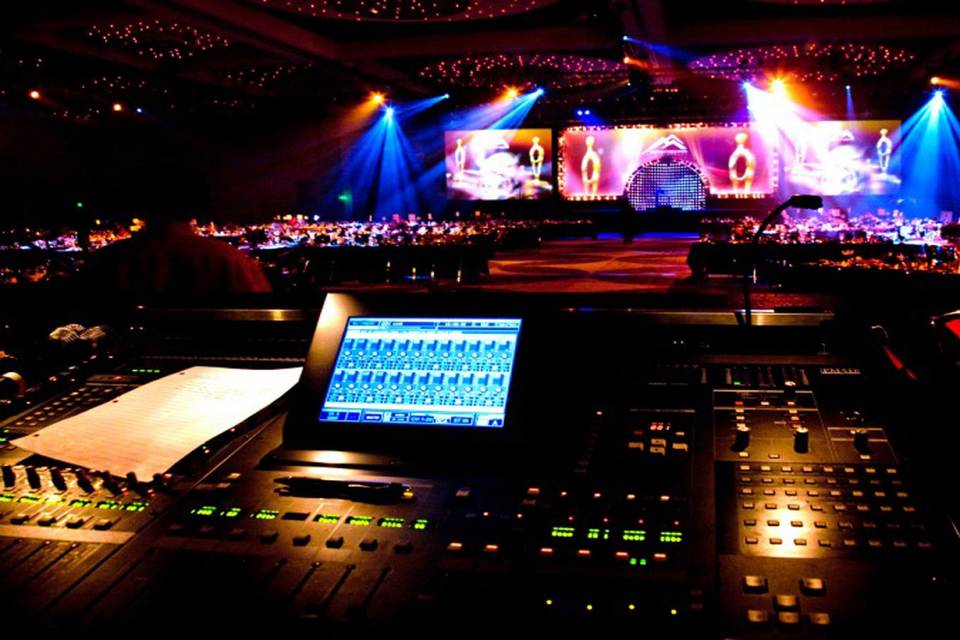
A great event can lose its impact when guests cannot see the presentation, follow the visuals, or hear important content clearly. The right equipment helps presentations feel polished, keeps audiences engaged, and prevents avoidable technical problems. When comparing Audio Visual Rentals in Los Angeles, CA, event planners should look beyond equipment lists and focus on reliability, technical expertise, setup, support, and overall value. Choosing carefully can make the entire event run more smoothly.
Why Visual Rental Quality Matters at Events
Visual equipment does more than display slides or videos. It helps shape how attendees experience a conference, corporate meeting, wedding, product launch, trade show, or private celebration.
A dim projector, poorly positioned screen, incompatible connection, or unreliable display can quickly distract guests. In contrast, properly selected equipment allows speakers, performers, presenters, and organizers to communicate with confidence.
Professional Audio Visual Rentals can also help event planners avoid purchasing expensive equipment that may only be needed for a single occasion. Renting gives organizers access to suitable technology while allowing them to select equipment based on the size, format, and goals of each event.
Assess the Equipment Before You Book
The first step is to understand exactly what equipment the rental company provides. Do not assume that every projector, screen, monitor, or display will deliver the same results.
Ask about the age, condition, specifications, and intended use of the equipment. A small meeting room may require something very different from a large ballroom or outdoor venue.
Match Screen Size to the Venue
Screen size should correspond with both the room and audience. If people seated at the back cannot comfortably read presentation text, even a high-quality projector will not solve the problem.
Ask the rental provider how they determine appropriate screen dimensions. A professional company should consider seating distance, room layout, ambient lighting, presentation content, and viewing angles before recommending equipment.
Check Resolution and Brightness
Resolution affects image detail, while brightness determines how clearly the content appears under the venue’s lighting conditions.
For example, a presentation with detailed charts may need sharper image quality than a simple slideshow. Similarly, an outdoor event or brightly lit conference room may require a brighter projection system than a dark banquet hall.
Look for Reliable Technical Support
Equipment quality is important, but dependable support can be even more valuable when an event is underway. Technical issues can occur despite careful planning, so having someone available to troubleshoot them can prevent a minor problem from becoming a major interruption.
Ask whether technicians will be present during setup and whether on-site support is available throughout the event. Also clarify who should be contacted if an unexpected issue occurs.
A professional provider should explain its support process clearly instead of leaving the event organizer to solve technical problems alone.
Confirm Compatibility With Your Content
One of the most overlooked parts of event technology is compatibility. A laptop, camera, media player, presentation system, and display must communicate properly for everything to work as expected.
Before signing an agreement, tell the rental company what devices and content formats you plan to use. This may include laptops, tablets, video files, presentation software, cameras, streaming platforms, or other sources.
Test Connections in Advance
Ask the provider which cables, adapters, converters, and connection systems are included. If a presenter plans to use a personal laptop, confirm that the appropriate connection is available.
A short equipment test before guests arrive can reveal problems with screen resolution, aspect ratio, audio output, video playback, or device compatibility.
Consider Backup Equipment
Professional events benefit from contingency planning. Ask whether backup cables, adapters, signal converters, or replacement equipment are available if something fails.
A backup strategy does not mean expecting equipment to fail. Instead, it demonstrates that the provider understands the importance of event continuity.
Examine Setup and Installation Services
Renting equipment is only part of the process. Someone must transport it, position it, connect it, test it, and remove it after the event.
Find out exactly what installation services are included in the quoted price. Some providers offer delivery only, while others provide complete setup and teardown.
Professional installation can also improve the appearance of the event. Screens, projectors, displays, and cables should be positioned safely and neatly without interfering with guest movement or the overall design.
Evaluate the Provider’s Event Experience
Experience matters because every venue presents different challenges. A provider that regularly works with conferences may understand staging and presentation requirements, while another company may specialize in weddings, exhibitions, or corporate events.
Ask whether the provider has worked at venues similar to yours. You can also discuss the expected audience size, room dimensions, event schedule, and presentation requirements.
A knowledgeable rental team should ask questions before recommending equipment. If a company immediately suggests a package without learning about the event, consider that a warning sign.
Compare Important Rental Factors
Price is naturally important, but it should not be the only factor in your decision. A lower quote may exclude delivery, setup, technical support, additional equipment, or overtime charges.
The following table can help you compare providers more effectively:
| Factor | What to Check | Why It Matters |
|---|---|---|
| Equipment quality | Resolution, brightness, condition | Supports clear and professional visuals |
| Compatibility | Connections, adapters, devices | Prevents technical conflicts |
| Setup | Delivery, installation, testing | Reduces stress before the event |
| Technical support | On-site or emergency assistance | Helps resolve unexpected problems |
| Backup options | Spare cables or replacement equipment | Limits disruption if something fails |
| Pricing | Full package and additional fees | Helps prevent budget surprises |
| Experience | Similar events and venues | Improves planning and execution |
| Teardown | Removal and equipment collection | Simplifies post-event responsibilities |
This comparison makes it easier to judge overall value instead of simply selecting the cheapest proposal.
Review the Rental Agreement Carefully
A professional rental agreement should clearly explain what you are receiving and what you are paying for. Before approving the booking, review equipment quantities, rental duration, delivery times, setup responsibilities, cancellation policies, damage terms, and additional charges.
Pay particular attention to overtime fees. If an event may run longer than planned, ask how extended rental periods or technician hours will be charged.
It is also helpful to confirm whether taxes, delivery, installation, and teardown are included in the initial quote. Clear pricing reduces unpleasant surprises later.
Consider the Venue’s Lighting and Layout
Even excellent visual equipment can perform poorly if it is used without considering the venue. Natural sunlight, overhead lighting, room shape, ceiling height, and seating arrangements can all affect visibility.
Walk through the venue with the rental provider when possible. This allows the technical team to identify potential obstacles and determine the best locations for screens, projectors, monitors, and related equipment.
For example, a screen placed directly opposite a large window may suffer from glare. Adjusting the layout or selecting a more suitable display system can make a significant difference.
Prioritize Safety and Professional Appearance
Event equipment should be installed in a way that protects both guests and staff. Cables should be secured, equipment should be stable, and walkways should remain clear.
Professional appearance matters as well. Exposed cables, poorly positioned screens, or equipment blocking sightlines can make an otherwise well-organized event look unfinished.
Ask how the provider manages cable routing and equipment placement. A skilled team should treat safety and presentation quality as equally important.
Choose Equipment Based on Event Goals
There is no universal visual package that works for every event. Your equipment choices should reflect what attendees need to see and how the event will operate.
A corporate seminar may need large presentation screens and confidence monitors. A product launch may require high-quality displays and video playback. A wedding may benefit from screens for slideshows, live video, or special presentations.
Before requesting a quote, identify the most important visual moments of your event. This helps the rental provider recommend equipment that serves a purpose rather than adding unnecessary technology.
Ask About Rehearsal and Testing
A rehearsal can make a major difference, particularly when an event includes several speakers, videos, presentations, or live demonstrations.
Schedule enough time to test every major visual element before attendees enter the venue. Speakers should have an opportunity to check their presentations, while technicians can confirm that videos, displays, and connections work properly.
This process also gives organizers a chance to identify practical issues. A presentation may look fine on a laptop but appear differently on a large screen, so testing the actual event setup is valuable.
Watch for Warning Signs Before Booking
Not every rental provider offers the same level of service. Certain warning signs deserve attention before you make a commitment.
Be cautious if a company:
- Gives vague answers about equipment specifications.
- Cannot explain what is included in the quote.
- Avoids discussing technical support.
- Does not ask about your venue or event requirements.
- Has unclear cancellation or damage policies.
- Promises equipment without confirming availability.
These issues do not automatically mean a provider is unsuitable, but they should encourage you to ask additional questions before signing a contract.
Build a Practical Visual Rental Checklist
A simple checklist can make the selection process much easier. Before booking, confirm the following:
- Event date, venue, and rental period.
- Expected audience size.
- Screen or display requirements.
- Projector brightness and resolution.
- Available connection types.
- Required adapters and cables.
- Delivery and installation arrangements.
- Technical support availability.
- Backup equipment options.
- Teardown and pickup schedule.
- Complete pricing and additional fees.
Keeping these details together helps prevent last-minute confusion and makes it easier to compare multiple providers fairly.
Conclusion
Choosing professional visual rentals requires more than selecting equipment from a catalog. Event planners should consider image quality, compatibility, venue conditions, technical support, setup, safety, pricing, and provider experience before making a decision. A reliable rental team should understand the event’s objectives and recommend practical solutions rather than unnecessary equipment. By testing everything in advance and confirming the details in writing, organizers can reduce technical risks and create a smoother experience for guests. The right visual setup does not simply support an event—it helps presenters communicate clearly and allows attendees to stay focused from beginning to end.
FAQs
What equipment can professional visual rental companies provide?
Depending on the provider, rental options may include projectors, projection screens, LED displays, monitors, confidence screens, video walls, presentation systems, cameras, and related accessories. Equipment availability varies by company and event requirements.
How far in advance should visual equipment be reserved?
For large conferences, weddings, trade shows, and other busy events, booking several weeks or months ahead is a sensible approach. Early planning provides more equipment choices and gives the provider time to address venue-specific requirements.
Should I choose a projector or LED display?
The right choice depends on venue size, lighting, audience distance, content, and budget. Projectors can work well in controlled environments, while LED displays may provide strong visibility in brighter spaces.
Is technical support necessary for a small event?
It depends on the complexity of the event. A simple presentation may need minimal assistance, but events involving multiple speakers, video sources, live feeds, or several displays can benefit significantly from technical support.
What is the most important question to ask a visual rental company?
Ask what is included in the complete rental package. Confirm the equipment, delivery, setup, testing, technical support, teardown, replacement options, and any additional fees so you understand the service before booking.